01 / ROTATIONS
Reel handle turns
Count handle rotations during a retrieve so you can compare one presentation to another.
How fast are you reeling? How many times did you turn the handle? StrikeVision AI is designed to help anglers monitor reel rotations, retrieve cadence, pauses and consistency using phone-camera tracking.
Build more repeatable lure presentations and learn what retrieve patterns work for you. It's guidance for better practice—not a guarantee of more bites.
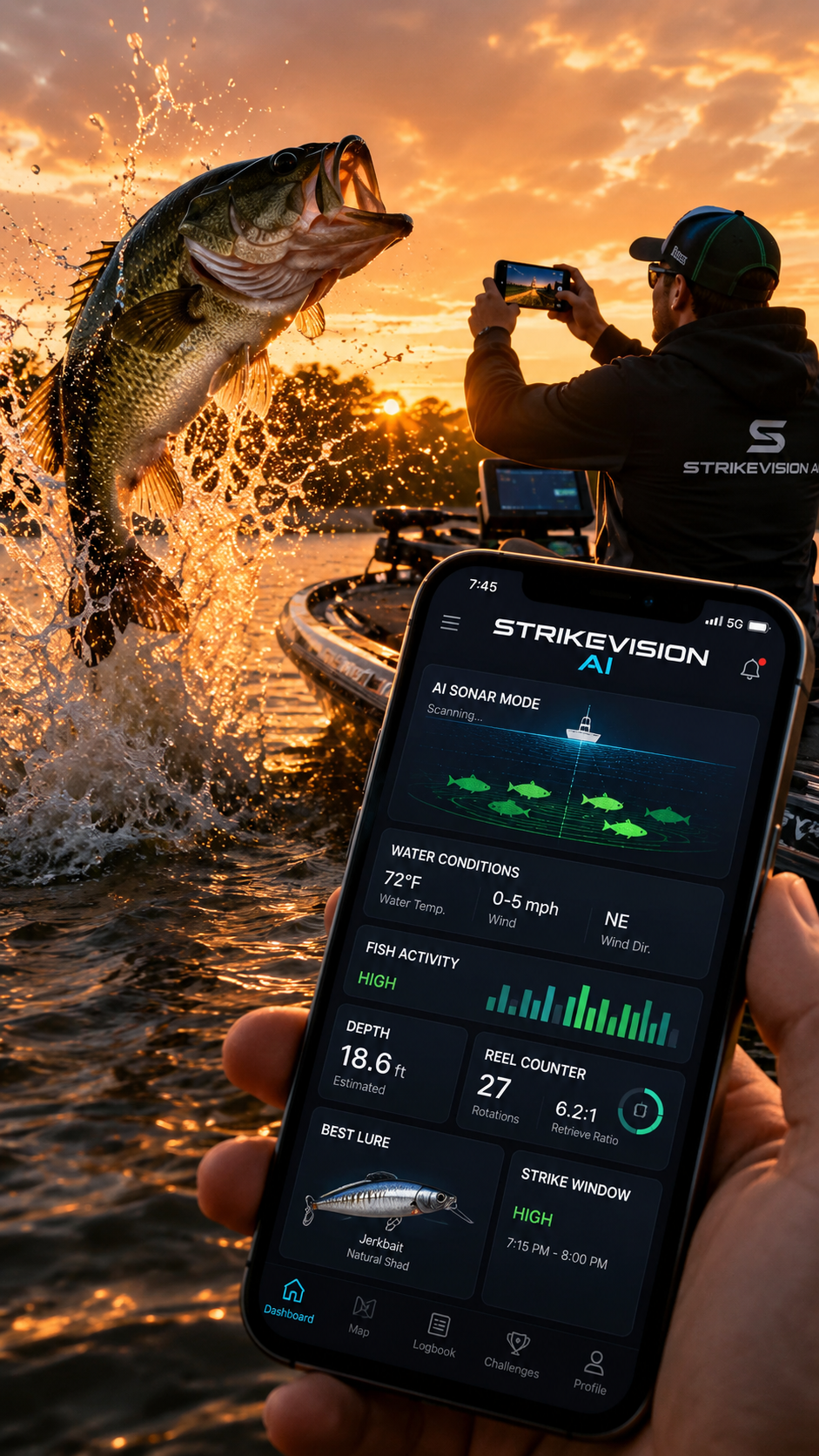
Explore retrieve tracking alongside StrikeVision AI's other fishing tools.
A reel counter helps you think about the retrieve, not just the cast. StrikeVision AI's advertised reel tools focus on several useful measurements and estimates.
Count handle rotations during a retrieve so you can compare one presentation to another.
Notice whether your handle turns are evenly paced or speeding up and slowing down.
Pay attention to pauses and restarts, especially with jerkbaits and other stop-and-go techniques.
Compare how steadily you retrieve so you can try to repeat a pattern that produces results.
Use feedback intended to help you experiment with slowing down, speeding up or pausing.
Record useful fishing context such as lure, location, conditions and productive retrieve patterns.
Counting turns is helpful, but it doesn't directly reveal how fast your lure moves through the water. Actual movement changes with spool diameter, reel gear ratio, line pickup, cast distance, lure resistance and current.
Even the same reel takes up a different amount of line as the amount of line on the spool changes. Use rotation measurements as a consistency reference, not a precise speedometer.
Try this practical routine to make comparisons more meaningful.
The right retrieve varies by lure design, depth and fish behavior. These are starting ideas, not fixed speeds.
| Lure type | Retrieve starting point | What to observe |
|---|---|---|
| Crankbait | Try a steady pace that keeps the bait near its intended running depth. | Bottom contact, vibration and occasional pauses or speed changes. |
| Spinnerbait | Start with a pace that keeps its blades working in the target zone. | Blade vibration and whether it stays above cover. |
| Swimbait | Begin slow enough for its tail or body to swim naturally. | Tail action, depth and response to brief accelerations. |
| Jerkbait | Use twitches separated by pauses rather than continuous reeling. | Pause length, slack management and strikes during pauses. |
| Topwater | Match movement and pauses to the lure design and surface activity. | Surface action and whether fish follow, swipe or strike. |
First pass: Make several similar casts with a steady retrieve. Note the handle-turn rhythm and whether the lure contacts cover.
Second pass: Keep the lure and target area the same, but briefly pause or slow the retrieve after contact.
Compare: Did you notice follows, strikes or improved lure control? Use those observations to choose your next adjustment.
Illustrative fishing technique example, not a measurement or prediction produced by the app.
The StrikeVision AI website describes phone-camera reel tracking and coaching for rotations, speed, pauses and consistency. It also advertises lure-depth estimates and saved fishing history.
Camera tracking results can depend on lighting, camera position, motion and visibility of the reel handle. Treat all tracking and depth outputs as estimates until validated for your setup.
StrikeVision AI advertises a camera-based reel counter intended to track handle rotations. Performance depends on compatible positioning, visibility and conditions; test it with your equipment.
Watch how your lure behaves and whether it stays in the intended depth zone. Retrieve cadence is one useful clue, but reel speed alone cannot tell you if a presentation is right for the fish.
Not by itself. Line pickup per turn, spool fill, line tension and lure behavior also affect actual movement.
No. It is intended to help you observe, compare and practice more consistently. Fishing results depend on many factors.
Explore StrikeVision AI's reel counter, retrieve coaching, AI lure suggestions and fishing tools.
PAY ONCE · NO MONTHLY SUBSCRIPTION
OPEN STRIKEVISION AIPrice as shown on the StrikeVision AI website. Confirm final purchase terms in the app.